Pharmacy management for hospitals and retail pharmacies
Shafa HMS Pharmacy Management is the dispensing and medicine stock module of the Shafa hospital management suite. It is built for hospital pharmacies, retail medicine shops and clinics that dispense from their own counter. Pharmacists receive prescriptions from OPD and IPD as a dispensing queue, sell over the counter through a point-of-sale screen, and keep every strip and bottle tracked by batch and expiry date. Sales post to Accounts, purchases and drug stock levels stay in step with Inventory, and dispensed medicines are written back to the patient record. The interface runs in Bangla and English and keeps working through internet outages.
- Batch and expiry tracking
- Prescription-linked dispensing queue
- Works offline, syncs later
- Bangla and English interface
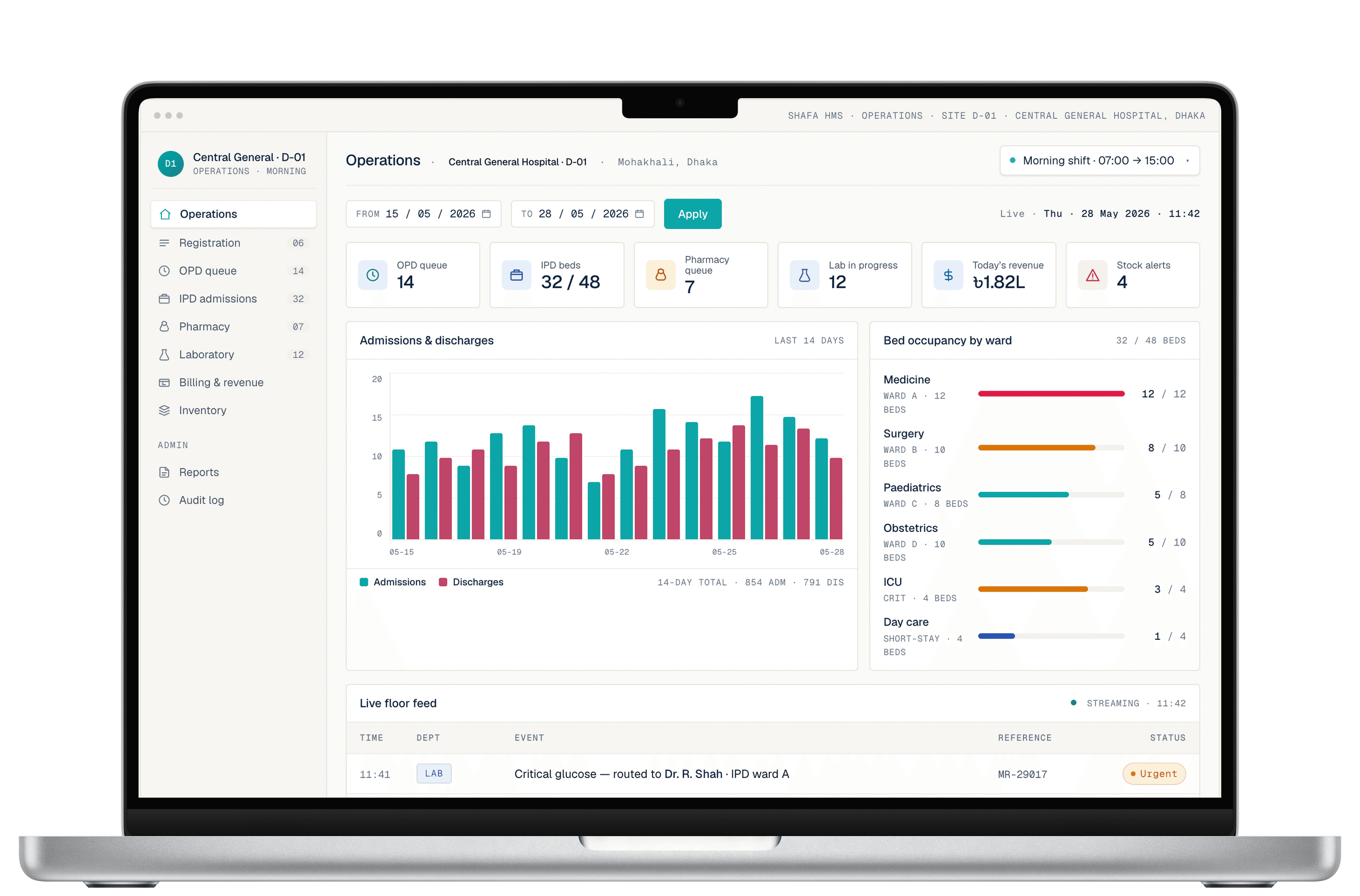
Overview
Pharmacy management software, from purchase to patient
The module follows a medicine from purchase to patient. Goods received against a supplier invoice are entered with batch number, expiry date, pack size and cost, so the shelf in the system matches the shelf in the store. From that point every sale, return, transfer and adjustment is a recorded movement against a specific batch. Managers can see what is on hand, what is about to expire and what has been sold at any hour without a physical count.
At the counter, the pharmacist works from two lists: prescriptions waiting to be filled and walk-in sales. A prescribed item shows the drug, strength, dose and quantity as the doctor entered it, and substitution with an equivalent generic is recorded rather than hidden. Walk-in sales use the same product master and the same batch logic, so a retail shop and a hospital dispensary run on identical rules with different screens.
Reporting is built for the people who answer for the pharmacy: daily sales and collections by cashier, fast and slow movers, near-expiry and expired stock, supplier-wise purchases, and margin by product. Each report can be filtered by branch or counter, exported to spreadsheet, and printed with the facility header, so month-end review, internal audit sampling and regulator queries can be answered from the system rather than from memory.
Capabilities
Pharmacy capabilities
Six areas of work that a pharmacy manager is accountable for, and how the module handles each.
- 1
Pharmacy POS and billing
A touch-friendly point-of-sale screen for counter sales: search by brand or generic name, scan a barcode, apply a discount within the cashier's limit, and record payment as cash, card or mobile money. Each receipt prints with batch and expiry, and every sale posts to the day's cash book without a second entry.
- 2
Hospital pharmacy dispensing from prescriptions
Prescriptions written in OPD or on the ward arrive as a queue, not a slip of paper. The pharmacist confirms each line, records partial fills and generic substitutions, and marks the order complete so the doctor and the billing desk see the same status. Indent requests from wards and OT follow the same route.
- 3
Drug expiry tracking by batch
Every receipt is stored with its batch number and expiry date, and dispensing defaults to first-expiry-first-out. Near-expiry lists run on a schedule you choose, expired batches are blocked from sale, and returns to supplier are recorded against the original purchase so the credit note can be matched in Accounts.
- 4
Medicine shop and multi-counter sales
A single medicine shop, a chain of outlets or several counters inside one hospital can run on one product master with separate stock, cashiers and price lists. Head office sees consolidated sales and stock; each outlet sees its own. Inter-branch transfers move stock with a document trail at both ends.
- 5
Purchase, supplier and stock control
Raise purchase orders from reorder levels or manually, receive goods against the order, and post the supplier invoice with VAT and discount lines. Stock adjustments, damage write-offs and physical count reconciliations each need a reason code and leave an entry in the audit log, so shrinkage is visible rather than absorbed.
- 6
Pharmacy reports and controlled-drug registers
Daily sales, cashier collections, profit by product, stock valuation and supplier ledgers are standard reports. Items flagged as controlled or scheduled drugs keep a separate register with prescriber, patient and quantity on each line, and the register can be printed for inspection or internal review at any time.
Suite fit
How Pharmacy fits the rest of Shafa HMS
The pharmacy is a consumer of clinical orders and a source of financial and stock data. Inside Shafa HMS those links are built in rather than exported and re-imported, which is why a dispensed line appears in the patient's bill, the drug register and the day's ledger at the same moment.
- OPD and IPD prescriptionstoPharmacy dispensing queue
Prescribed items arrive with drug, strength, dose and quantity, so nothing is retyped at the counter.
- Pharmacy salestoPatient billing and Accounts
Each dispensed line is added to the patient bill or counter receipt and posted to the sales and cash ledgers.
- Pharmacy stock movementstoInventory Management
Purchases, transfers and adjustments update a shared supplier and item master, keeping drug and non-drug stock on one footing.
- Dispensing recordstoEHR patient record
Dispensed medicines are written back to the patient's medication history for the next consultation.
Standards and compliance
Standards, security and reporting
Only what is in place today, stated plainly.
HL7 FHIR-based data exchange
Medication orders and dispensing events are modelled on HL7 FHIR resources, so pharmacy data can be exchanged with other FHIR-capable systems without a bespoke mapping for each partner.
Role-based access and audit logs
Cashiers, pharmacists, store keepers and managers see different screens and limits. Price overrides, stock adjustments and voided sales are logged with user, time and reason.
Encryption in transit and at rest
Patient and sales data are encrypted between the browser and the server and again in storage and backups, in line with HIPAA-style data handling practices.
Reporting formats used by DGHS
Drug consumption and stock reports can be produced in the reporting formats used by DGHS, from the same records that run the counter.
Bangla and English interface
Every pharmacy screen, receipt and report label is available in Bangla and English, and language is a per-user setting rather than a system-wide one.
Deployment
Deployment options
A pharmacy cannot pause because the connection dropped or the power did. Shafa HMS is offered hosted in the cloud, installed on your own servers, or as a cloud deployment with an offline edge node at the counter. The pharmacy module behaves the same way in each; only where the data lives changes.
Cloud
Hosted by Shafa Care with a separate database per facility. Backups, monitoring and updates are included, and new counters or branches are added without buying hardware.
On-premise
The full suite runs on servers inside your facility, including air-gapped setups. You hold the data; Shafa Care delivers, maintains and upgrades the software under a support agreement.
Offline sync
An edge node at the pharmacy keeps a local copy of the module. Sales and dispensing continue during outages and load-shedding, then sync in order when the link returns, without duplicate receipts.
Who it is for
Who the Pharmacy module is for
Hospital pharmacies
In-house pharmacies serving OPD, wards, OT and emergency, where prescriptions must be filled against a patient bill and ward indents must be traceable to a cost centre.
Retail pharmacy chains
Medicine shops with one outlet or many that need fast counter sales, one product master across branches, and expiry control that does not depend on someone reading labels.
Clinics with in-house dispensing
Small clinics and diagnostic centres that dispense from a cupboard rather than a store, and want the same batch discipline and reports without running a full pharmacy department.
FAQ
Frequently asked questions
How is the Pharmacy module priced?
Shafa HMS is licensed as a subscription per facility, and the modules you enable determine the plan. There is no public price list because counters, branches and deployment model change the cost. Tell us the number of outlets and whether you need cloud or on-premise hosting and we will send a written quote.
Can we move from a paper register or an Excel stock sheet?
Yes. Opening stock is loaded from a spreadsheet template with item, batch, expiry, quantity and cost, and the product master can be seeded from your existing purchase records. We recommend a short parallel period with the old register before switching over, and we help reconcile the first physical count.
Does it work without internet?
It does. With an offline edge node at the counter, sales, dispensing and stock updates continue through power cuts and connection drops. When the connection returns, queued transactions sync to the central server in order, so receipts are not duplicated and stock is not counted twice. Reports at head office catch up once sync completes.
Is the interface available in Bangla?
Yes. Screens, buttons, receipts and report headings are available in Bangla and English, and each user chooses a language at login, so a cashier can work in Bangla while the accountant reviews the same data in English. Product names are stored as entered, in either script.
Can the Pharmacy module run on its own without the rest of Shafa HMS?
The modules are designed to work together and are usually rolled out in phases; a pharmacy or medicine shop can start with Pharmacy and Accounts and add OPD later. Because it is licensed as part of Shafa HMS, the prescription queue and patient billing links become active as soon as those modules are switched on.
Who owns the data, and can we export it?
You do. Product, stock, sales and patient dispensing records belong to the facility. Reports export to spreadsheet at any time, and a full data export in standard formats is provided on request or at the end of a contract. On-premise deployments hold the database on your own servers from day one.
What training and onboarding is included?
Implementation starts with mapping your product list, price rules and counter layout, followed by on-site or remote training for cashiers, pharmacists and the store keeper, with role-specific guides in Bangla and English. Support continues after go-live through phone and email, and refresher sessions are available when staff change.
Shafa HMS · Pharmacy
See the pharmacy counter on your own product list
Bring a page of your current stock register or a week of sales slips. In a short demo we load a sample of your items, fill a prescription, ring up a counter sale and show where each entry lands in stock, billing and accounts.